
Direct Top-up 4.8 (343,344 sold)
PUBG MOBILE
Direct Top-up
Select Package
Top-up Information
Platform
Android & iOS
Delivery
1-5 minutes
Description
How to Locate Your PUBG Mobile Player ID:
- Your Player ID is a unique identifier for your PUBG Mobile account, assigned by the system when your account is created.
- This ID cannot be changed or customized.
- To find your Player ID, follow these steps:
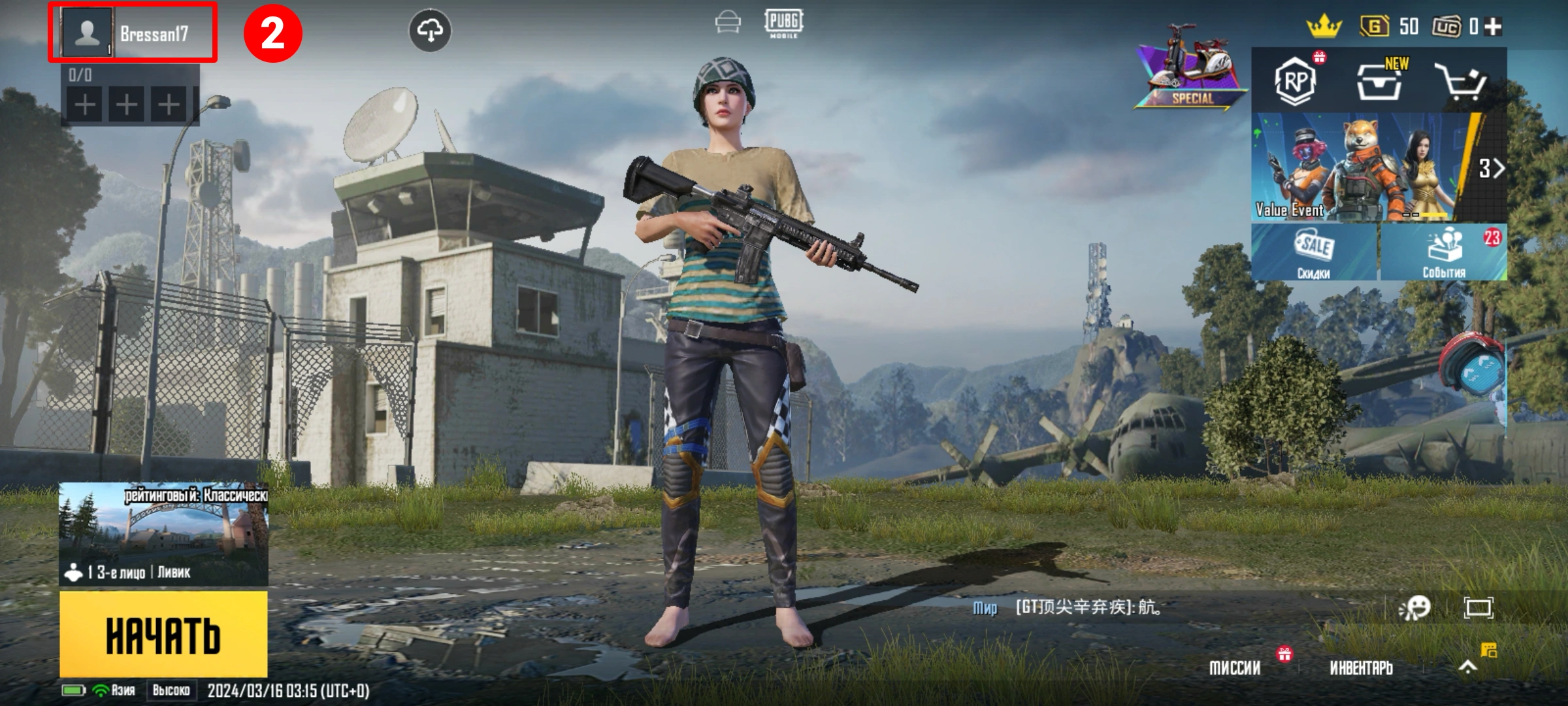
- Open PUBG Mobile and log into your account.
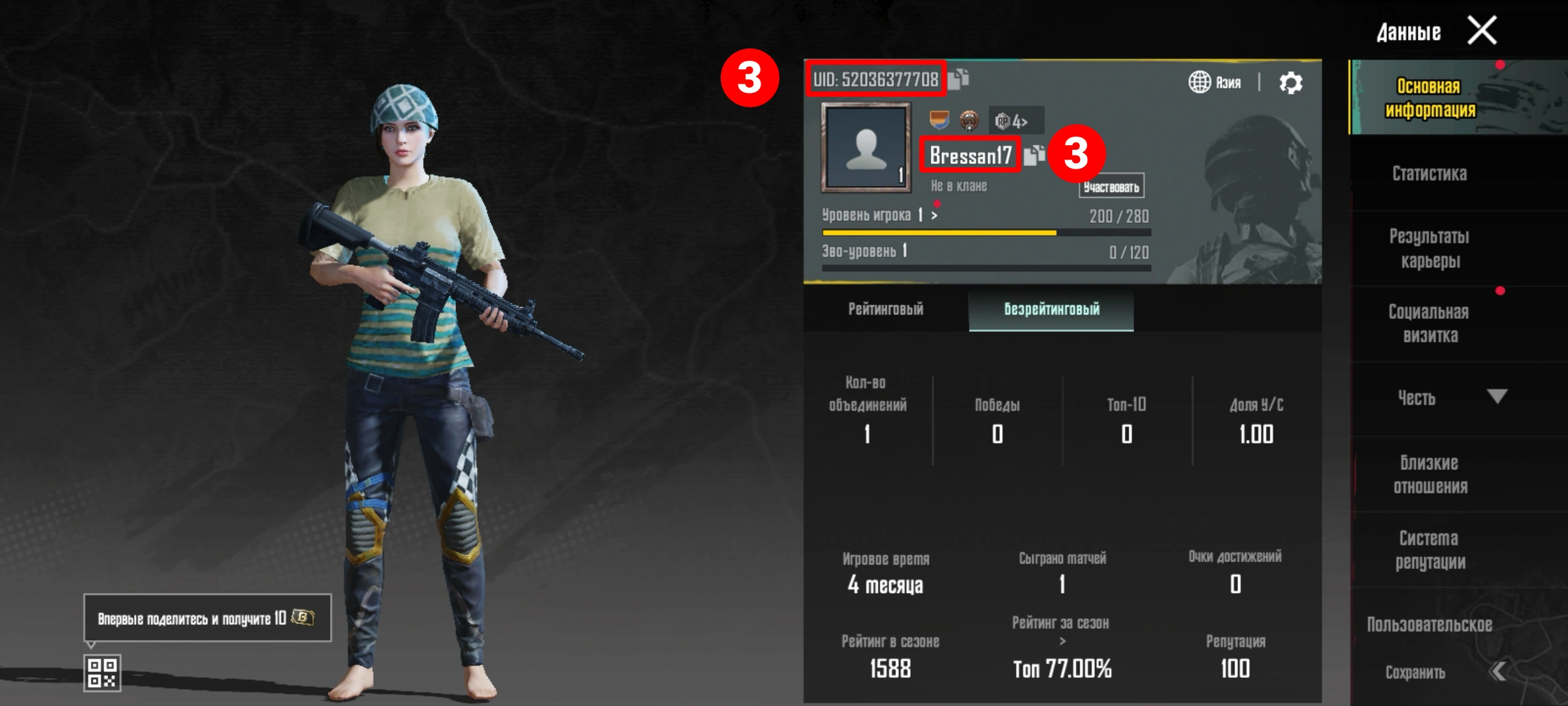
- Tap on your avatar in the top left corner to access your player profile.
- Your Player ID will be visible on the screen.
- Click the "Copy" icon to copy your Player ID.
How to Purchase PUBG Mobile UC from XTopup:
- Select the desired amount of PUBG Mobile UC
- Enter your PUBG Mobile Player ID
- Click the "Buy Now" button and proceed with payment
- After the payment is completed, the PUBG Mobile UC you purchased will be credited to your PUBG Mobile account
How to Top Up
- 1 Select your desired package from the options above
- 2 Enter your game UID in the order panel
- 3 Click "Buy Now" and complete payment
- 4 Receive your top-up within minutes!
Secure Checkout
Selected
60UC
1
Subtotal₽95
Discount-₽10
Total₽85
Delivery: 1-5 minutes
₽85Save ₽10
60UC × 1